 CryptoChain Blog
Introduction to AI-Enhanced Hardhat Workflows
In 2026, securing Solidity smart contracts demands more than traditional testing. Integrating AI tools into Hardhat enables developers to detect vulnerabilities during compilation and testing phases with greater efficiency. This approach augments manual audits without replacing them, focusing on 2026-relevant features like real-time pattern recognition and predictive risk analysis. As blockchain ecosystems grow more complex, AI integration helps teams handle larger codebases while maintaining high security standards. Hardhat remains the leading Ethereum development environment, and pairing it with AI plugins streamlines end-to-end secure development. Developers can now simulate attacks and generate security reports automatically, reducing the time from coding to deployment.
The rise of sophisticated AI models trained on vast datasets of past exploits allows for proactive identification of issues that static analyzers might miss. This integration is particularly valuable for DeFi protocols and enterprise blockchain applications where even minor vulnerabilities can lead to significant losses.
Why Integrate AI Tools in 2026
AI capabilities in 2026 include contextual code understanding and automated remediation suggestions. Unlike earlier rule-based tools, modern AI can learn from project-specific patterns and flag novel attack vectors. Benefits include faster iteration cycles, improved test coverage through generated cases, and comprehensive reporting that highlights both security and gas efficiency. However, these tools serve as assistants, emphasizing the continued need for human oversight in nuanced logic reviews.
Project Setup with Hardhat Plugins
Begin by initializing a Hardhat project and installing essential plugins. Use the official Hardhat setup for compatibility with AI extensions. Start with a fresh directory and run the initialization command to create the standard structure including contracts, test, and scripts folders.
npx hardhat init
npm install --save-dev @nomicfoundation/hardhat-toolbox
npm install --save-dev hardhat-ai-security-plugin
npm install --save-dev hardhat-gas-reporter
Next, update your hardhat.config.js file to enable the AI module and configure scanning parameters such as severity thresholds and output formats. This setup supports automated vulnerability detection during compilation and can be extended with custom AI models if needed for specialized projects.
require("@nomicfoundation/hardhat-toolbox");
require("hardhat-ai-security-plugin");
module.exports = {
  solidity: "0.8.24",
  aiSecurity: {
    enabled: true,
    scanOnCompile: true,
    confidenceThreshold: 0.85
  }
};
AI-Driven Vulnerability Scanning During Compilation
AI tools analyze Solidity code for common issues like reentrancy, integer overflows, and access control flaws in real time. Enable scanning by adding the plugin to your compilation task. The underlying models leverage transformer architectures fine-tuned on millions of smart contract interactions from public blockchains.
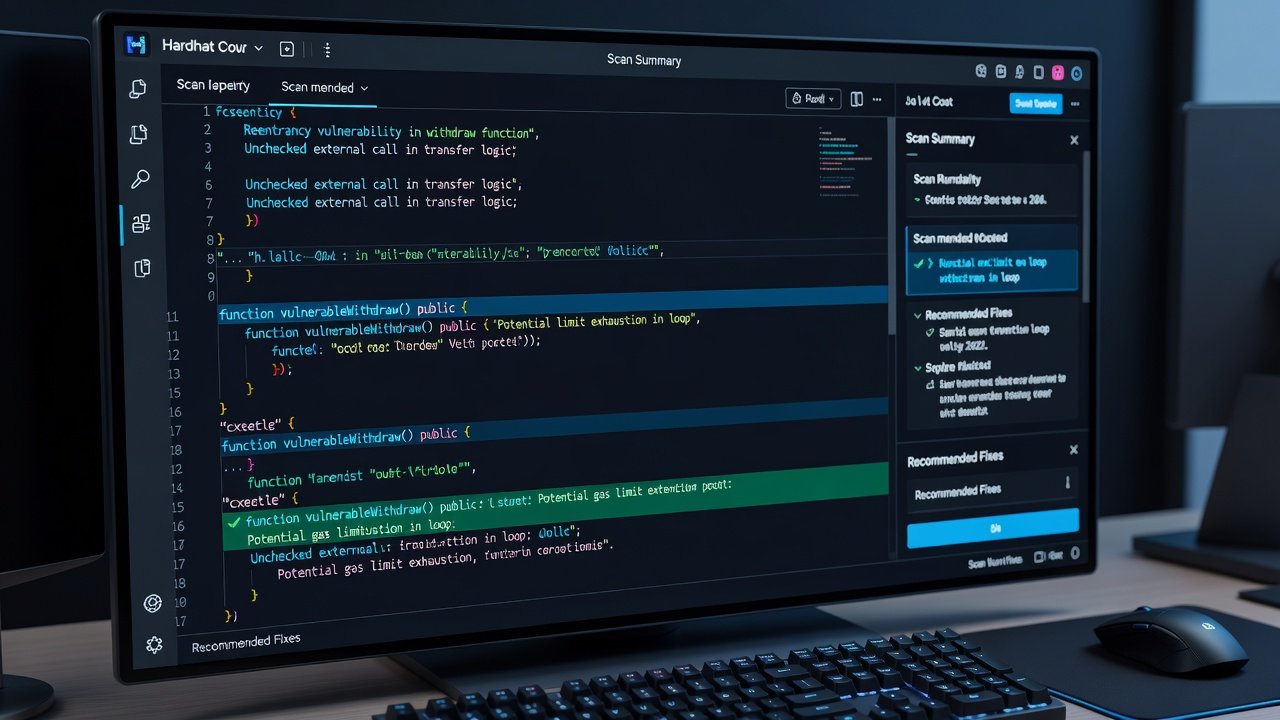
Run the command: npx hardhat compile --ai-scan. The AI engine flags potential risks with severity scores and suggested fixes, often providing line-by-line annotations. This process integrates seamlessly into CI/CD pipelines, allowing teams to catch issues before they reach testing environments.
Step-by-Step Workflow Examples
Follow this workflow for integrated security. First, develop your contract logic while the AI plugin monitors changes in the background. Second, compile with scanning to receive immediate feedback. Third, leverage AI-generated test cases to expand coverage beyond manual efforts.
- Initialize and configure the project as described above.
- Write core contract functions and trigger an AI scan during the first compile.
- Review flagged items and implement recommended mitigations, such as adding checks-effects-interactions patterns.
- Generate additional tests using the AI test assistant plugin command.
- Run the full test suite and review combined security and gas reports.
Example test script incorporating AI insights:
const { expect } = require("chai");
describe("SecureToken", function () {
  it("Should prevent reentrancy attacks", async function () {
    // AI-suggested test case for cross-function reentrancy
    const token = await ethers.deployContract("SecureToken");
    await expect(token.transferWithCallback(attacker.address, amount))
      .to.be.revertedWith("ReentrancyGuard");
  });
});
Attack Simulation Integration
Integrate tools like Foundry or custom AI simulators into Hardhat for dynamic analysis. This reveals edge cases that static scans miss, such as complex multi-transaction attack sequences. Configure the AI simulator to run after unit tests and feed results back into the reporting dashboard.
Link to authoritative resources such as Hardhat documentation for plugin details and Consensys resources for advanced security practices.
Gas and Security Reporting
AI generates comprehensive reports covering gas optimization and security metrics. These reports include visualizations of function call graphs, vulnerability heatmaps, and prioritized remediation lists. Export these in JSON or Markdown for team reviews and audit handoffs. In practice, teams often integrate the output with project management tools to track fixes across sprints.
Tool Comparisons
- Hardhat + AI Plugin: Best for seamless IDE integration and real-time feedback within the existing workflow.
- Standalone AI Auditors: Offer broader dataset training but require export steps and additional setup time.
- Traditional Linters: Faster execution but lack predictive capabilities of 2026 AI models and contextual understanding.
- Hybrid Approaches: Combine multiple tools for layered defense, using AI for initial triage followed by formal verification where critical.
Best Practices for Effective Integration
Always maintain version control on both contracts and AI configuration files. Regularly update the AI plugin to benefit from new model improvements released in 2026. Combine AI scans with property-based testing frameworks to maximize coverage. Document all AI-suggested changes for transparency during external audits.
Common Pitfalls and FAQ
What are the most frequent integration errors?
Misconfigured plugin versions often cause scan failures. Always align dependencies with the latest Hardhat release and verify network settings when running simulations.
Does AI replace manual audits?
No. AI boosts efficiency but manual expert review remains essential for complex logic and business rule validation.
How to handle false positives?
Configure confidence thresholds in the plugin settings to reduce noise, and train custom models on your project history for better accuracy over time.
Can AI tools handle upgradeable contracts?
Yes, but you must explicitly enable proxy pattern detection in the configuration to avoid missing storage collision risks.
What hardware is recommended for local AI scanning?
Modern development machines with at least 16GB RAM handle most scans efficiently; cloud instances can be used for larger projects.
Additional guidance is available via Ethereum Foundation guides and OpenZeppelin security resources.
Conclusion
Integrating AI into Hardhat workflows elevates Solidity security practices in 2026. By following structured setups and leveraging scanning features, teams achieve faster, more reliable development cycles while maintaining audit rigor. This balanced approach ensures robust contracts ready for mainnet deployment.


No comments yet. Be the first!